Quick Answer
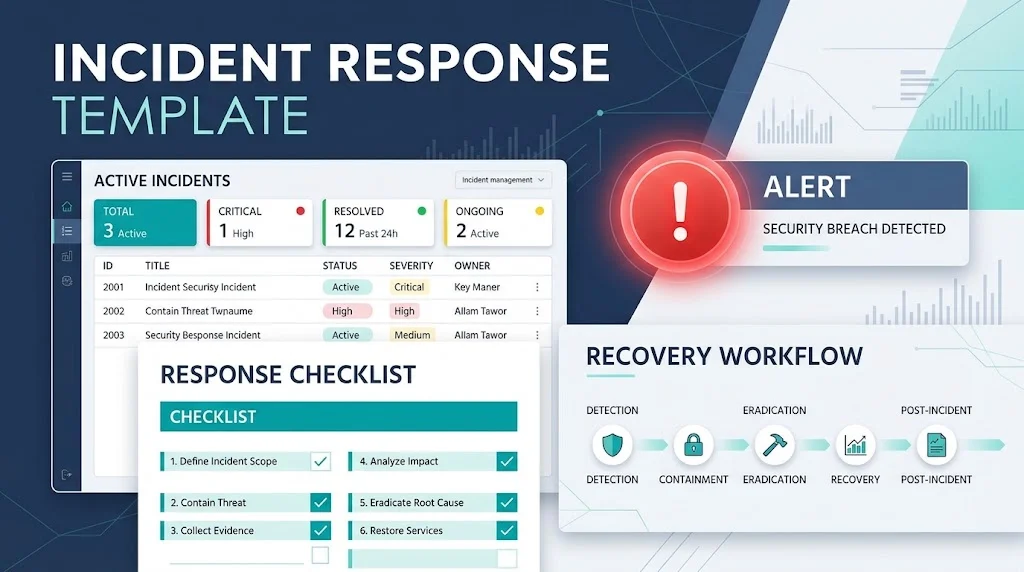
An incident response template helps teams document, report, manage, and resolve incidents consistently. Whether you are handling a cybersecurity threat, IT outage, data breach, or workplace emergency, the right template makes communication faster and keeps everyone on the same page.
Top alternatives: Incident report template, security incident response plan, IT incident template, incident communication template, emergency response checklist
When something goes wrong, the last thing you want is a team scrambling to figure out what happened, who is responsible, and what to do next. A server outage, suspicious login, data breach, workplace accident, or unexpected service disruption can quickly turn a normal day into organized chaos. That is where a well-prepared incident response template becomes useful.
Instead of writing everything from scratch while everyone is under pressure, you can use a ready-made structure to record important details, assign responsibilities, communicate updates, and track recovery. The right format also helps teams avoid missing critical information when time matters most. Whether you work in IT, cybersecurity, business operations, or workplace safety, these templates give you a practical starting point. Choose the format that matches your incident, customize the details, and keep your response clear, consistent, and actionable.
1. Basic Incident Response Template
- Template: Incident Title: [Enter Title] | Incident ID: [ID] | Date and Time: [Date and Time] | Reported By: [Name] | Description: [What Happened] | Impact: [Affected People or Systems] | Actions Taken: [Actions] | Current Status: [Status] | Next Steps: [Tasks] | Owner: [Responsible Person]Example: Use this format to document a general business or operational incident.Meaning: It provides a straightforward record of the incident from discovery through resolution.
- Template: Incident Summary: [Summary] | Location: [Location] | Start Time: [Time] | Detection Method: [Method] | Severity: [Level] | Response Team: [Team] | Resolution: [Resolution] | Closure Date: [Date]Example: Use this format when several teams need a quick overview.Meaning: It captures the essential information in a compact structure.
- Template: What Happened: [Details] | When It Happened: [Time] | Who Was Affected: [People or Teams] | Immediate Response: [Action] | Support Needed: [Requirements] | Follow-Up: [Next Steps]Example: Use this when employees report an unexpected problem.Meaning: It helps responders identify the issue and coordinate assistance.
- Template: Incident Number: [Number] | Category: [Category] | Priority: [Priority] | Description: [Details] | Assigned To: [Name] | Progress: [Update] | Target Resolution: [Date and Time]Example: Use this in an internal ticketing system.Meaning: It organizes incident ownership, priority, and progress.
- Template: Incident Reported: [Date and Time] | Verified By: [Name] | Immediate Risk: [Risk] | Containment: [Actions] | Investigation: [Status] | Recovery: [Plan] | Final Outcome: [Outcome]Example: Use this when an incident needs formal verification and follow-up.Meaning: It creates a clear record of the response process.
- Template: Incident: [Title] | Business Impact: [Impact] | Systems Affected: [Systems] | Response Lead: [Name] | Current Situation: [Details] | Required Decision: [Decision] | Next Update: [Time]Example: Use this to brief managers during an ongoing incident.Meaning: It highlights the information leaders need to make decisions.
- Template: Date: [Date] | Incident: [Description] | Evidence Collected: [Evidence] | Actions Completed: [Actions] | Open Issues: [Issues] | Assigned Owner: [Name] | Review Date: [Date]Example: Use this when documentation must continue after the initial response.Meaning: It maintains accountability and records outstanding work.
- Template: Incident Type: [Type] | Severity: [Level] | Detection Source: [Source] | Response Started: [Time] | Mitigation: [Action] | Service Status: [Status] | Closure Notes: [Notes]Example: Use this for service disruptions and operational problems.Meaning: It records the progression from detection to mitigation.
- Template: Reporter: [Name] | Incident Details: [Details] | Immediate Concern: [Concern] | Action Required: [Action] | Responsible Team: [Team] | Follow-Up Date: [Date]Example: Use this for simple internal incident notifications.Meaning: It directs the report toward a clear action and owner.
- Template: Incident Overview: [Summary] | Root Cause: [Known Cause or Under Investigation] | Impact: [Impact] | Response: [Actions] | Recovery Status: [Status] | Prevention Plan: [Plan]Example: Use this when reviewing a resolved incident.Meaning: It connects the incident, response, and prevention efforts.
2. Cybersecurity Incident Response Templates
- Template: Security Incident ID: [ID] | Detection Time: [Time] | Alert Source: [Source] | Affected Assets: [Assets] | Threat Type: [Type] | Severity: [Level] | Containment Status: [Status] | Incident Lead: [Name]Example: Use this when a security monitoring system detects suspicious activity.Meaning: It establishes the basic record for investigating a security incident.
- Template: Alert Details: [Alert] | User or Account Involved: [Account] | Systems Affected: [Systems] | Indicators Observed: [Indicators] | Investigation Status: [Status] | Next Steps: [Actions]Example: Use this when reviewing an unusual account or system alert.Meaning: It organizes evidence and investigation tasks.
- Template: Incident Type: [Malware, Unauthorized Access, or Other] | Discovery Method: [Method] | Scope: [Scope] | Immediate Containment: [Actions] | Evidence Preserved: [Details] | Recovery Plan: [Plan]Example: Use this when a suspected security incident requires investigation and containment.Meaning: It records the actions needed to control the incident and support recovery.
- Template: Suspicious Activity: [Description] | First Observed: [Time] | Affected Account: [Account] | Relevant Logs: [Log References] | Access Review: [Status] | Mitigation Owner: [Name]Example: Use this when an account displays unexpected activity.Meaning: It helps investigators document findings without making unsupported conclusions.
- Template: Security Event: [Event] | Confirmed Incident: [Yes, No, or Under Review] | Evidence: [Evidence] | Risk Assessment: [Assessment] | Escalation Contact: [Contact] | Review Deadline: [Time]Example: Use this when deciding whether an alert requires a full incident response.Meaning: It distinguishes an initial alert from a confirmed incident.
- Template: Threat Identified: [Threat] | Systems at Risk: [Systems] | Containment Measures: [Measures] | Access Restrictions: [Restrictions] | Verification Steps: [Steps] | Recovery Approval: [Approver]Example: Use this when documenting containment and recovery controls.Meaning: It records how the team limits further exposure and verifies recovery.
- Template: Incident Commander: [Name] | Security Lead: [Name] | Technical Lead: [Name] | Communications Lead: [Name] | Legal or Privacy Contact: [Contact] | Responsibilities: [Assignments]Example: Use this when several departments need coordinated responsibilities.Meaning: It clarifies ownership during a security incident.
- Template: Security Incident Summary: [Summary] | Business Impact: [Impact] | Data Involved: [Data Category] | Confirmed Exposure: [Details] | Open Questions: [Questions] | Next Update: [Time]Example: Use this when reporting findings to authorized decision-makers.Meaning: It separates confirmed facts from unanswered questions.
- Template: Evidence Reference: [Reference] | Collection Time: [Time] | Collected By: [Name] | Source System: [System] | Storage Location: [Approved Location] | Access Record: [Record]Example: Use this when evidence needs controlled handling.Meaning: It supports traceability and evidence integrity.
- Template: Security Incident Status: [Status] | Threat Contained: [Yes or No] | Systems Restored: [Systems] | Monitoring Active: [Yes or No] | Remaining Risks: [Risks] | Closure Approval: [Approver]Example: Use this before closing a cybersecurity incident.Meaning: It helps confirm that recovery and review requirements have been addressed.
- Template: Incident Timeline: [Times and Events] | Detection: [Details] | Escalation: [Details] | Containment: [Details] | Eradication: [Details] | Recovery: [Details]Example: Use this for a structured security incident timeline.Meaning: It documents the sequence of response activities.
3. IT Incident Response Templates
- Template: IT Incident ID: [ID] | Service Affected: [Service] | Start Time: [Time] | User Impact: [Impact] | Priority: [Priority] | Assigned Engineer: [Name] | Current Status: [Status]Example: Use this for an IT support ticket involving a service problem.Meaning: It identifies the issue and the person responsible for resolving it.
- Template: System Outage: [System] | Detection Time: [Time] | Users Affected: [Number or Group] | Error Details: [Details] | Workaround: [Workaround] | Recovery Estimate: [Estimate]Example: Use this when an internal system becomes unavailable.Meaning: It helps IT teams track the outage and communicate expected recovery.
- Template: Application Issue: [Application] | Error Message: [Message] | Environment: [Environment] | Reproduction Steps: [Steps] | Logs: [References] | Technical Owner: [Name]Example: Use this when employees report an application failure.Meaning: It gives technical staff information needed to investigate the issue.
- Template: Network Incident: [Location or Network] | Connectivity Issue: [Description] | Affected Devices: [Devices] | Detection Time: [Time] | Diagnostic Findings: [Findings] | Resolution: [Resolution]Example: Use this when a network connection fails or becomes unstable.Meaning: It documents the problem and technical investigation.
- Template: Hardware Incident: [Device] | Asset Number: [Number] | Reported Problem: [Problem] | Business Impact: [Impact] | Temporary Solution: [Solution] | Repair Status: [Status]Example: Use this when equipment stops working.Meaning: It tracks the issue from reporting through repair.
- Template: Software Incident: [Software] | Version: [Version] | Symptoms: [Symptoms] | Affected Users: [Users] | Recent Changes: [Changes] | Fix Applied: [Fix] | Validation: [Results]Example: Use this when a software update causes unexpected behavior.Meaning: It records possible causes, fixes, and verification.
- Template: Database Incident: [Database] | Issue: [Issue] | Services Affected: [Services] | Detection Time: [Time] | Data Integrity Review: [Status] | Recovery Procedure: [Procedure] | Verification: [Results]Example: Use this when a database becomes unavailable or behaves unexpectedly.Meaning: It helps teams document service recovery and data integrity checks.
- Template: IT Escalation: [Incident ID] | Current Priority: [Priority] | Troubleshooting Completed: [Actions] | Remaining Issue: [Issue] | Specialist Needed: [Team] | Reason for Escalation: [Reason]Example: Use this when first-line support cannot resolve an issue.Meaning: It gives the next support team the context needed to continue.
- Template: Service Restoration: [Service] | Restoration Time: [Time] | Tests Completed: [Tests] | User Confirmation: [Status] | Outstanding Defects: [Defects] | Monitoring Period: [Duration]Example: Use this after restoring a disrupted IT service.Meaning: It records whether the service is working as expected.
- Template: IT Incident Handover: [Incident ID] | Current Status: [Status] | Actions Taken: [Actions] | Technical Findings: [Findings] | Open Tasks: [Tasks] | Next Owner: [Name]Example: Use this when handing a ticket to another engineer.Meaning: It reduces repeated troubleshooting and missed tasks.
4. Data Breach Incident Response Templates
- Template: Suspected Breach ID: [ID] | Detection Time: [Time] | Data Category: [Category] | Systems Involved: [Systems] | Exposure Confirmed: [Yes, No, or Unknown] | Investigation Owner: [Name]Example: Use this when an organization suspects unauthorized access to information.Meaning: It creates an initial record without treating an unconfirmed breach as proven.
- Template: Breach Discovery: [Description] | Discovery Source: [Source] | Potential Data Affected: [Data] | Known Access: [Details] | Immediate Safeguards: [Actions] | Escalation Contact: [Contact]Example: Use this when an employee reports a possible information exposure.Meaning: It organizes initial findings and protective measures.
- Template: Privacy Incident: [ID] | Personal Information Involved: [Category] | Individuals Potentially Affected: [Scope] | Jurisdictions: [Locations] | Privacy Lead: [Name] | Assessment Status: [Status]Example: Use this when personal information may have been exposed.Meaning: It gives privacy teams a structured starting point for their assessment.
- Template: Breach Timeline: [Date and Time] | First Known Activity: [Details] | Detection: [Details] | Containment: [Details] | Investigation Updates: [Updates] | Current Findings: [Findings]Example: Use this when documenting the sequence of a possible data breach.Meaning: It preserves a clear chronological record.
- Template: Data Exposure Assessment: [Data Types] | Number of Records: [Known or Estimated] | Exposure Period: [Period] | Evidence: [References] | Confidence Level: [Level] | Outstanding Questions: [Questions]Example: Use this when assessing the potential scope of an exposure.Meaning: It separates established facts from estimates and unresolved questions.
- Template: Breach Containment: [Actions] | Access Restricted: [Details] | Credentials Reviewed: [Status] | Vulnerability Addressed: [Status] | Evidence Preserved: [Status] | Approval: [Name]Example: Use this when documenting measures taken to reduce ongoing exposure.Meaning: It records containment steps and their verification.
- Template: Legal Review: [Incident ID] | Applicable Requirements: [Requirements] | Assessment Owner: [Name] | Notification Deadline: [If Applicable] | Decisions: [Decisions] | Review Date: [Date]Example: Use this when legal or privacy specialists need to assess obligations.Meaning: It helps authorized personnel track legal reviews and deadlines.
- Template: Stakeholder Notification: [Audience] | Approved Message: [Reference] | Communication Channel: [Channel] | Approval Owner: [Name] | Send Time: [Time] | Delivery Status: [Status]Example: Use this when an organization needs to coordinate approved communications.Meaning: It helps ensure communications are reviewed, consistent, and documented.
- Template: Affected Person Support: [Audience] | Confirmed Facts: [Facts] | Recommended Precautions: [Actions] | Support Contact: [Contact] | FAQ Reference: [Reference] | Review Date: [Date]Example: Use this when preparing support information for potentially affected individuals.Meaning: It organizes clear, practical guidance based on verified information.
- Template: Breach Recovery: [Affected Systems] | Security Controls Restored: [Controls] | Access Verified: [Status] | Monitoring Plan: [Plan] | Residual Risks: [Risks] | Approval: [Approver]Example: Use this when restoring systems after a confirmed security incident.Meaning: It documents recovery and remaining security concerns.
5. Incident Communication Templates
- Template: Subject: Incident Update: [Service or Issue] | Current Status: [Status] | Impact: [Impact] | Actions Underway: [Actions] | Next Update: [Time] | Contact: [Contact]Example: Use this for a routine update to affected employees or customers.Meaning: It provides a concise and consistent status message.
- Template: We are investigating [Issue] affecting [Service or Group]. Our team is working to understand the cause and reduce the impact. We will share another update by [Time].Example: Use this when the cause of a service interruption is not yet known.Meaning: It acknowledges the issue without making unsupported promises.
- Template: Incident Confirmed: [Issue] | Start Time: [Time] | Affected Services: [Services] | Current Workaround: [Workaround] | Next Steps: [Actions] | Next Update: [Time]Example: Use this when a problem has been confirmed and users need practical information.Meaning: It explains what is affected and what users should do.
- Template: Service Restored: [Service] | Restoration Time: [Time] | Verification: [Checks Completed] | Remaining Issues: [Issues] | Follow-Up: [Plan]Example: Use this after a service returns to operation.Meaning: It confirms restoration while identifying any remaining concerns.
- Template: Incident Escalation Notice: [Incident ID] | Reason: [Reason] | Business Impact: [Impact] | Support Required: [Support] | Decision Needed: [Decision] | Deadline: [Time]Example: Use this when an incident needs leadership or specialist attention.Meaning: It makes the escalation request clear and actionable.
- Template: Customer Notice: We are aware of [Issue] affecting [Service]. Our team is investigating and will provide updates through [Channel]. We appreciate your patience.Example: Use this when notifying customers about an ongoing issue.Meaning: It communicates awareness and sets expectations for updates.
- Template: Internal Alert: [Incident] | Severity: [Level] | Affected Teams: [Teams] | Immediate Action: [Action] | Incident Channel: [Channel] | Response Lead: [Name]Example: Use this when internal teams need to coordinate quickly.Meaning: It communicates the key details needed to begin a response.
- Template: Leadership Briefing: [Incident Summary] | Business Impact: [Impact] | Decisions Required: [Decisions] | Resources Needed: [Resources] | Current Risks: [Risks] | Next Briefing: [Time]Example: Use this during a significant incident requiring executive oversight.Meaning: It focuses leadership attention on impact, risk, and decisions.
- Template: Employee Advisory: [Issue] | Who Is Affected: [Audience] | What to Do: [Instructions] | What to Avoid: [Precautions] | Help Contact: [Contact] | Update Channel: [Channel]Example: Use this when employees need consistent instructions during an incident.Meaning: It reduces confusion by giving people practical next steps.
- Template: Incident Resolved: [Issue] has been addressed as of [Time]. Please verify [Relevant Function] and report any continuing problems through [Channel]. A follow-up review will address prevention and improvements.Example: Use this when closing an internal incident announcement.Meaning: It confirms the resolution and provides a route for reporting lingering problems.
- Template: Scheduled Update: [Incident ID] | Progress Since Last Update: [Progress] | Outstanding Tasks: [Tasks] | Current Impact: [Impact] | Next Milestone: [Milestone] | Next Update: [Time]Example: Use this for recurring updates during a long incident.Meaning: It keeps stakeholders informed without repeating the entire incident history.
6. Emergency Incident Response Templates
- Template: Emergency Type: [Type] | Location: [Location] | Time Reported: [Time] | Immediate Danger: [Details] | Emergency Services Contacted: [Status] | Responsible Coordinator: [Name]Example: Use this to document an urgent workplace or facility incident.Meaning: It records the basic details needed for emergency coordination.
- Template: Emergency Alert: [Hazard] | Affected Area: [Area] | Immediate Instructions: [Approved Instructions] | Assembly or Shelter Information: [Location] | Official Contact: [Contact]Example: Use this when communicating approved emergency instructions.Meaning: It gives people clear directions during an emergency.
- Template: Safety Incident: [Description] | People Affected: [Details] | Immediate Precautions: [Actions] | First Aid or Medical Support: [Status] | Supervisor Notified: [Name] | Follow-Up: [Plan]Example: Use this when recording a workplace safety incident.Meaning: It documents the event and the support provided.
- Template: Evacuation Record: [Building or Area] | Alert Time: [Time] | Evacuation Initiated By: [Name] | Routes Used: [Routes] | Assembly Point: [Point] | Follow-Up Coordinator: [Name]Example: Use this for an evacuation record after following the site emergency plan.Meaning: It records the evacuation process and responsible personnel.
- Template: Facility Incident: [Location] | Hazard Identified: [Hazard] | Area Restricted: [Status] | Responsible Team: [Team] | Corrective Work: [Actions] | Reopening Approval: [Approver]Example: Use this when a building or work area becomes unsafe.Meaning: It documents the control of the hazard and the conditions for reopening.
- Template: Utility Failure: [Utility] | Start Time: [Time] | Affected Operations: [Operations] | Safety Risks: [Risks] | Backup Arrangements: [Arrangements] | Restoration Confirmation: [Status]Example: Use this during a power, water, or other essential utility disruption.Meaning: It tracks operational impact and recovery.
- Template: Emergency Contact Log: [Incident ID] | Contacted Person or Agency: [Contact] | Contact Time: [Time] | Information Shared: [Details] | Instructions Received: [Instructions] | Follow-Up Owner: [Name]Example: Use this when multiple people or agencies are involved in an emergency.Meaning: It creates a record of communications and instructions.
- Template: Weather Incident: [Event] | Location: [Location] | Official Alert: [Source] | Operations Affected: [Operations] | Protective Measures: [Measures] | All-Clear Confirmation: [Source]Example: Use this when severe weather affects a workplace or facility.Meaning: It records the hazard, response, and official status updates.
- Template: Medical Emergency Record: [Date and Time] | Location: [Location] | Reported Situation: [Details] | Emergency Help Requested: [Status] | Responsible Contact: [Name] | Confidential Record Reference: [Reference]Example: Use this for an authorized workplace emergency record.Meaning: It documents essential response details while limiting sensitive information.
- Template: Emergency Resource Request: [Incident ID] | Resource Needed: [Resource] | Reason: [Reason] | Required By: [Time] | Request Approved By: [Name] | Delivery Status: [Status]Example: Use this when additional supplies, personnel, or equipment are needed.Meaning: It tracks resource requests and fulfillment.
- Template: Emergency Team Briefing: [Situation] | Known Hazards: [Hazards] | Current Priorities: [Priorities] | Team Assignments: [Assignments] | Communication Method: [Method] | Review Time: [Time]Example: Use this during an emergency response briefing.Meaning: It aligns responders around shared priorities and responsibilities.
7. Workplace Incident Response Templates
- Template: Workplace Incident: [Description] | Department: [Department] | Location: [Location] | Date and Time: [Time] | People Involved: [Details] | Supervisor: [Name] | Immediate Action: [Action]Example: Use this when reporting an incident at work.Meaning: It creates a consistent workplace record.
- Template: Employee Incident Report: [Employee or Confidential Reference] | Event Description: [Details] | Witnesses: [Details] | Immediate Support: [Support] | Manager Notified: [Status] | Follow-Up: [Plan]Example: Use this when an employee reports a workplace concern.Meaning: It captures the event and any required follow-up.
- Template: Workplace Hazard: [Hazard] | Location: [Location] | Risk Level: [Level] | Temporary Controls: [Controls] | Responsible Owner: [Name] | Target Correction Date: [Date]Example: Use this when reporting a safety hazard before it causes harm.Meaning: It helps assign responsibility for correcting the hazard.
- Template: Employee Safety Concern: [Concern] | Date Reported: [Date] | Immediate Risk: [Risk] | Action Taken: [Action] | Escalation Contact: [Contact] | Review Status: [Status]Example: Use this when an employee raises a safety concern.Meaning: It documents the concern and the response.
- Template: Workplace Conflict: [Neutral Description] | Date: [Date] | People Involved: [Confidential References] | Immediate Steps: [Steps] | HR Contact: [Name] | Follow-Up Meeting: [Date]Example: Use this when a workplace disagreement requires formal attention.Meaning: It supports a factual and confidential record of the issue.
- Template: Equipment Incident: [Equipment] | Asset Reference: [ID] | Incident Details: [Details] | Operations Affected: [Operations] | Equipment Isolated: [Status] | Repair Owner: [Name]Example: Use this when equipment fails or becomes unsafe.Meaning: It tracks the equipment issue and corrective work.
- Template: Workplace Illness Report: [Date and Time] | Location: [Location] | Immediate Assistance: [Assistance] | Supervisor Notified: [Status] | Confidential Record: [Reference] | Follow-Up: [Plan]Example: Use this when documenting a workplace illness according to organizational policy.Meaning: It records necessary response information while respecting privacy.
- Template: Incident Witness Statement: [Incident ID] | Witness Reference: [Reference] | Observation Time: [Time] | Firsthand Observations: [Facts] | Statement Date: [Date] | Record Owner: [Name]Example: Use this when collecting a witness account.Meaning: It separates firsthand observations from assumptions.
- Template: Workplace Incident Escalation: [Incident ID] | Reason for Escalation: [Reason] | Risk to Staff: [Risk] | Actions Completed: [Actions] | Manager or HR Contact: [Contact] | Decision Needed: [Decision]Example: Use this when a workplace incident needs senior review.Meaning: It communicates the reason for escalation and required decisions.
- Template: Corrective Action Record: [Incident ID] | Finding: [Finding] | Required Change: [Change] | Responsible Owner: [Name] | Due Date: [Date] | Verification Method: [Method]Example: Use this when an investigation identifies a process or safety gap.Meaning: It turns the finding into an accountable action.
- Template: Workplace Incident Update: [Incident ID] | Confirmed Facts: [Facts] | Operational Impact: [Impact] | Current Measures: [Measures] | Outstanding Questions: [Questions] | Next Update: [Time]Example: Use this when keeping managers informed about an ongoing incident.Meaning: It delivers a factual progress update.
8. Incident Response Plan Templates
- Template: Plan Name: [Name] | Purpose: [Purpose] | Scope: [Scope] | Incident Categories: [Categories] | Response Lead: [Role] | Approval Date: [Date] | Review Date: [Date]Example: Use this when creating an organization-wide response plan.Meaning: It defines the plan’s purpose, coverage, and ownership.
- Template: Preparation: [Resources] | Detection: [Monitoring Method] | Analysis: [Assessment Process] | Containment: [Controls] | Recovery: [Procedure] | Lessons Learned: [Review Process]Example: Use this when outlining the main stages of an incident response process.Meaning: It creates a repeatable structure for handling incidents.
- Template: Incident Commander: [Role] | Technical Lead: [Role] | Communications Lead: [Role] | Legal or Privacy Contact: [Role] | Business Owner: [Role] | Backup Contacts: [Details]Example: Use this when defining the response team’s roles.Meaning: It clarifies responsibilities before an incident occurs.
- Template: Severity Level: [Level] | Impact Criteria: [Criteria] | Escalation Trigger: [Trigger] | Required Approvals: [Approvals] | Response Target: [Target] | Review Authority: [Role]Example: Use this when establishing incident severity categories.Meaning: It helps teams apply consistent escalation decisions.
- Template: Contact Directory: [Role] | Primary Contact: [Contact] | Backup Contact: [Contact] | Availability: [Hours] | Escalation Method: [Method] | Last Verified: [Date]Example: Use this when maintaining emergency and incident contacts.Meaning: It helps responders locate the right people quickly.
- Template: Required Resources: [Tools or Services] | Access Requirements: [Requirements] | Backup Resources: [Resources] | Approval Owner: [Name] | Availability Check: [Date] | Maintenance Plan: [Plan]Example: Use this when preparing resources for incident handling.Meaning: It identifies what must be available before an incident occurs.
- Template: Incident Reporting Channel: [Channel] | Required Details: [Fields] | Triage Owner: [Role] | Response Target: [Target] | Escalation Process: [Process] | Tracking System: [System]Example: Use this when standardizing how employees report incidents.Meaning: It makes reporting and triage more consistent.
- Template: Evidence Handling: [Evidence Type] | Collection Rules: [Rules] | Authorized Personnel: [Roles] | Storage Requirements: [Requirements] | Access Logging: [Method] | Retention Schedule: [Schedule]Example: Use this when a response may require evidence preservation.Meaning: It establishes procedures for protecting and tracking evidence.
- Template: Communication Plan: [Audience] | Approved Channels: [Channels] | Message Owner: [Role] | Approval Requirements: [Requirements] | Update Frequency: [Frequency] | Backup Method: [Method]Example: Use this when preparing incident communications in advance.Meaning: It defines how information will be shared during a disruption.
- Template: Recovery Objective: [Objective] | Critical Services: [Services] | Recovery Priorities: [Priorities] | Dependencies: [Dependencies] | Validation Requirements: [Requirements] | Approval Owner: [Role]Example: Use this when planning how essential operations will be restored.Meaning: It connects recovery actions to business priorities.
- Template: Incident Exercise: [Scenario] | Exercise Date: [Date] | Participants: [Teams] | Objectives: [Objectives] | Observations: [Observations] | Improvement Tasks: [Tasks]Example: Use this when testing the response plan through a simulation.Meaning: It evaluates readiness without waiting for a real incident.
9. Incident Escalation Templates
- Template: Escalation ID: [ID] | Original Incident: [Incident ID] | Current Severity: [Level] | Escalation Reason: [Reason] | Receiving Team: [Team] | Decision Required: [Decision]Example: Use this when an incident exceeds the current team’s authority or capability.Meaning: It records why additional support is needed.
- Template: Escalation Alert: [Incident] | Business Impact: [Impact] | Actions Completed: [Actions] | Remaining Risks: [Risks] | Support Requested: [Support] | Response Deadline: [Time]Example: Use this when requesting urgent assistance from another team.Meaning: It makes the escalation request specific and actionable.
- Template: Management Escalation: [Incident ID] | Operational Consequences: [Consequences] | Financial or Service Impact: [Impact] | Available Options: [Options] | Recommendation: [Recommendation] | Approval Needed By: [Time]Example: Use this when managers must choose between response options.Meaning: It presents the decision and its implications clearly.
- Template: Technical Escalation: [System] | Error Details: [Details] | Troubleshooting Completed: [Actions] | Diagnostic References: [References] | Specialist Requested: [Role] | Handover Time: [Time]Example: Use this when escalating a complex technical issue.Meaning: It gives specialists the details needed to continue the investigation.
- Template: Security Escalation: [Alert ID] | Potential Threat: [Threat] | Evidence Available: [Evidence] | Affected Assets: [Assets] | Immediate Controls: [Controls] | Security Lead: [Name]Example: Use this when an alert may require dedicated security investigation.Meaning: It directs the issue to the appropriate security responders.
- Template: Vendor Escalation: [Incident ID] | Provider: [Provider] | Service Impact: [Impact] | Contract Reference: [Reference] | Assistance Required: [Assistance] | Follow-Up Deadline: [Time]Example: Use this when a third-party service is affecting operations.Meaning: It documents the request and the relevant service relationship.
- Template: Escalation Decision Log: [Time] | Decision Maker: [Name] | Information Reviewed: [Information] | Decision: [Decision] | Rationale: [Reason] | Next Review: [Time]Example: Use this when important incident decisions need a clear audit trail.Meaning: It records the basis for a decision and any follow-up.
- Template: Escalation Acknowledgment: [Incident ID] | Received By: [Name] | Acknowledgment Time: [Time] | Assigned Owner: [Name] | Immediate Action: [Action] | Next Update: [Time]Example: Use this when confirming that an escalation has been received.Meaning: It establishes ownership and expectations for the next update.
- Template: Escalation Timeout: [Incident ID] | Expected Response: [Time] | Actual Status: [Status] | Follow-Up Attempt: [Details] | Backup Contact: [Contact] | Next Escalation Level: [Level]Example: Use this when an expected response has not arrived.Meaning: It documents follow-up and the next escalation route.
- Template: Cross-Team Escalation: [Incident ID] | Teams Involved: [Teams] | Shared Dependencies: [Dependencies] | Lead Coordinator: [Name] | Assigned Actions: [Actions] | Coordination Meeting: [Time]Example: Use this when an incident affects several departments.Meaning: It clarifies shared responsibilities and coordination.
- Template: Risk Escalation: [Risk] | Likelihood: [Assessment] | Potential Impact: [Impact] | Existing Controls: [Controls] | Additional Support: [Support] | Risk Owner: [Name]Example: Use this when an incident introduces risks beyond the team’s normal tolerance.Meaning: It provides a structured risk assessment for review.
10. Incident Investigation Templates
- Template: Investigation ID: [ID] | Incident: [Description] | Lead Investigator: [Name] | Investigation Scope: [Scope] | Known Facts: [Facts] | Questions to Resolve: [Questions] | Target Date: [Date]Example: Use this when opening a formal investigation.Meaning: It defines the scope, ownership, and objectives.
- Template: Incident Timeline: [Time] | Event: [Description] | Source: [Source] | Verified: [Yes or No] | Evidence Reference: [Reference] | Investigator Notes: [Notes]Example: Use this when reconstructing an incident from records and observations.Meaning: It helps build a chronological account.
- Template: Witness Record: [Reference] | Interview Date: [Date] | Interviewer: [Name] | Relevant Observations: [Observations] | Supporting Material: [References] | Follow-Up Questions: [Questions]Example: Use this when recording information from a witness.Meaning: It documents the account and areas needing clarification.
- Template: Evidence Log: [Evidence ID] | Description: [Description] | Source: [Source] | Collected By: [Name] | Date Collected: [Date] | Storage Reference: [Reference] | Access History: [History]Example: Use this when an investigation involves documents, logs, or physical evidence.Meaning: It supports traceability and responsible evidence handling.
- Template: Initial Hypothesis: [Hypothesis] | Supporting Evidence: [Evidence] | Contradicting Evidence: [Evidence] | Information Missing: [Gaps] | Next Verification Step: [Step]Example: Use this when testing a possible explanation for an incident.Meaning: It separates hypotheses from verified findings.
- Template: Root Cause Analysis: [Problem] | Immediate Cause: [Cause] | Contributing Factors: [Factors] | Underlying Conditions: [Conditions] | Evidence: [Evidence] | Corrective Action: [Action]Example: Use this when looking beyond the visible symptoms of a problem.Meaning: It helps identify causes that can be addressed to reduce recurrence.
- Template: Impact Assessment: [Incident ID] | People Affected: [Scope] | Services Affected: [Services] | Operational Impact: [Impact] | Data Impact: [Impact] | Financial Impact: [Known or Estimated]Example: Use this when measuring the consequences of an incident.Meaning: It organizes the impact across relevant areas.
- Template: Investigation Finding: [Finding] | Evidence Reference: [Reference] | Confidence Level: [Level] | Alternative Explanations: [Alternatives] | Review Status: [Status] | Owner: [Name]Example: Use this when documenting an important investigative conclusion.Meaning: It records how strongly the evidence supports a finding.
- Template: Control Review: [Control] | Expected Operation: [Expectation] | Observed Operation: [Observation] | Gap Identified: [Gap] | Risk Created: [Risk] | Improvement Owner: [Name]Example: Use this when investigating a process or security control failure.Meaning: It identifies gaps that may have contributed to the incident.
- Template: Interview Plan: [Person or Role] | Interview Objective: [Objective] | Topics: [Topics] | Relevant Records: [Records] | Interviewer: [Name] | Follow-Up: [Plan]Example: Use this when preparing a structured investigation interview.Meaning: It keeps information gathering focused and consistent.
- Template: Investigation Status: [Status] | Tasks Completed: [Tasks] | Evidence Pending: [Evidence] | Outstanding Questions: [Questions] | Blockers: [Blockers] | Next Review: [Date]Example: Use this when tracking a lengthy investigation.Meaning: It highlights progress and unresolved work.
11. Incident Recovery And Resolution Templates
- Template: Recovery Plan: [Incident ID] | Services to Restore: [Services] | Restoration Order: [Order] | Dependencies: [Dependencies] | Recovery Owner: [Name] | Target Time: [Time]Example: Use this when planning the restoration of affected services.Meaning: It organizes recovery tasks according to priority.
- Template: Recovery Task: [Task] | Responsible Owner: [Name] | Prerequisites: [Prerequisites] | Start Time: [Time] | Completion Status: [Status] | Verification: [Method]Example: Use this when dividing recovery into manageable actions.Meaning: It provides task-level accountability.
- Template: Service Validation: [Service] | Required Tests: [Tests] | Test Results: [Results] | Outstanding Defects: [Defects] | Verified By: [Name] | Approval: [Status]Example: Use this when confirming that a restored service works correctly.Meaning: It documents verification before normal operations resume.
- Template: Data Recovery: [Data or System] | Recovery Source: [Source] | Recovery Point: [Point] | Data Integrity Checks: [Checks] | Results: [Results] | Approval: [Approver]Example: Use this when restoring information from an approved recovery source.Meaning: It tracks restoration and data validation.
- Template: Temporary Workaround: [Issue] | Workaround Description: [Description] | Risks: [Risks] | User Instructions: [Instructions] | Owner: [Name] | Expiration or Review: [Date]Example: Use this when a permanent fix is not yet available.Meaning: It documents temporary measures and their limitations.
- Template: Permanent Fix: [Root Cause] | Change Required: [Change] | Testing Completed: [Tests] | Deployment Status: [Status] | Rollback Plan: [Plan] | Approval: [Approver]Example: Use this when preparing a permanent solution to an incident.Meaning: It connects the identified cause to a verified corrective change.
- Template: Recovery Dependencies: [Dependency] | Provider or Team: [Owner] | Required Status: [Status] | Confirmation Method: [Method] | Blockers: [Blockers] | Follow-Up: [Time]Example: Use this when recovery depends on several services or teams.Meaning: It identifies dependencies that could delay restoration.
- Template: Monitoring Plan: [System] | Indicators to Monitor: [Indicators] | Alert Thresholds: [Thresholds] | Monitoring Owner: [Name] | Review Period: [Period] | Escalation Trigger: [Trigger]Example: Use this when increased monitoring is needed after a recovery.Meaning: It helps detect signs that the incident may recur.
- Template: Recovery Communication: [Incident ID] | Services Restored: [Services] | Known Limitations: [Limitations] | User Actions: [Actions] | Support Contact: [Contact] | Next Update: [Time]Example: Use this when informing users about partial or complete restoration.Meaning: It explains what is available and what users should expect.
- Template: Recovery Risk Review: [Risk] | Remaining Exposure: [Exposure] | Mitigation: [Mitigation] | Risk Owner: [Name] | Acceptance Required: [Yes or No] | Decision Date: [Date]Example: Use this when some risks remain after a service is restored.Meaning: It ensures remaining risks are reviewed by the appropriate person.
- Template: Recovery Milestone: [Milestone] | Planned Time: [Time] | Actual Time: [Time] | Completion Evidence: [Evidence] | Delays: [Details] | Next Milestone: [Milestone]Example: Use this when monitoring progress through several recovery stages.Meaning: It makes recovery progress measurable.
12. Post-Incident Review And Lessons Learned Templates
- Template: Incident Summary: [Summary] | Timeline: [Timeline] | Impact: [Impact] | Root Cause: [Cause] | Response Effectiveness: [Assessment] | Lessons Learned: [Lessons]Example: Use this after a significant incident has been resolved.Meaning: It provides a structured summary for organizational learning.
- Template: What Went Well: [Strengths] | What Did Not Go Well: [Challenges] | Why It Happened: [Reasons] | Improvements Needed: [Improvements] | Owner: [Name] | Due Date: [Date]Example: Use this during a team retrospective.Meaning: It balances positive findings with areas that need improvement.
- Template: Detection Review: [Detection Method] | Time to Detect: [Duration] | Missed Signals: [Signals] | Alert Quality: [Assessment] | Improvements: [Actions] | Review Owner: [Name]Example: Use this when assessing how quickly an incident was identified.Meaning: It helps improve monitoring and detection processes.
- Template: Response Timeline Review: [Event] | Expected Response: [Target] | Actual Response: [Duration] | Delay Cause: [Cause] | Impact of Delay: [Impact] | Corrective Action: [Action]Example: Use this when response speed is part of the review.Meaning: It identifies delays and opportunities to improve coordination.
- Template: Communication Review: [Audience] | Information Needed: [Details] | Information Provided: [Details] | Communication Gaps: [Gaps] | Feedback: [Feedback] | Improvements: [Actions]Example: Use this when evaluating internal or external incident updates.Meaning: It assesses whether stakeholders received useful information.
- Template: Root Cause Review: [Cause] | Supporting Evidence: [Evidence] | Contributing Conditions: [Conditions] | Prevention Opportunity: [Opportunity] | Responsible Owner: [Name] | Review Date: [Date]Example: Use this when validating the conclusions of an investigation.Meaning: It checks whether the explanation is supported and actionable.
- Template: Action Item: [Improvement] | Priority: [Priority] | Responsible Owner: [Name] | Resources Required: [Resources] | Due Date: [Date] | Success Measure: [Measure]Example: Use this when assigning improvements after a review.Meaning: It makes lessons learned measurable and accountable.
- Template: Incident Metrics: [Metric] | Target: [Target] | Actual Result: [Result] | Data Source: [Source] | Interpretation: [Interpretation] | Follow-Up: [Action]Example: Use this when reviewing response performance.Meaning: It supports evidence-based decisions about process improvements.
- Template: Team Feedback: [Feedback Source] | Positive Observations: [Observations] | Challenges: [Challenges] | Training Needs: [Needs] | Suggested Changes: [Changes] | Review Owner: [Name]Example: Use this when collecting feedback from responders.Meaning: It captures practical insights from the people involved.
- Template: Policy Review: [Policy] | Incident-Related Gap: [Gap] | Required Revision: [Revision] | Policy Owner: [Name] | Approval Process: [Process] | Target Date: [Date]Example: Use this when an incident reveals an outdated or unclear procedure.Meaning: It turns policy gaps into formal review tasks.
- Template: Training Improvement: [Skill Gap] | Team Affected: [Team] | Proposed Training: [Training] | Completion Target: [Date] | Evaluation Method: [Method] | Responsible Owner: [Name]Example: Use this when responders need additional skills or practice.Meaning: It connects learning needs to a practical training plan.
- Template: Prevention Plan: [Recurring Risk] | Preventive Measure: [Measure] | Implementation Owner: [Name] | Required Resources: [Resources] | Target Date: [Date] | Effectiveness Review: [Date]Example: Use this when planning steps to reduce repeat incidents.Meaning: It turns lessons into preventive action.
- Template: Follow-Up Review: [Incident ID] | Action Items Completed: [Items] | Outstanding Actions: [Items] | New Risks: [Risks] | Evidence of Improvement: [Evidence] | Next Review: [Date]Example: Use this when checking whether corrective actions have been completed.Meaning: It verifies that improvements move beyond recommendations.
FAQs
What Is an Incident Response Template?
An incident response template is a reusable document or checklist that helps teams record incidents, coordinate actions, communicate updates, and document recovery.
What Should an Incident Response Template Include?
A useful template usually includes the incident ID, date and time, description, severity, impact, response owner, actions taken, current status, recovery steps, and follow-up tasks.
What Are the Main Types of Incident Response Templates?
Common types include cybersecurity incident reports, IT outage records, data breach documentation, emergency response plans, incident communication messages, escalation forms, and post-incident reviews.
How Do I Write An Incident Response Report?
Start with verified facts, document when the incident occurred, describe the impact, list actions taken, identify responsible people, record the outcome, and assign any remaining tasks.
Can I Use One Template For Every Incident?
A basic template can work as a starting point, but serious cybersecurity incidents, data breaches, medical emergencies, and workplace safety incidents may require specialized procedures and additional documentation.
Conclusion
A well-designed incident response template helps turn a stressful situation into a more organized process. Instead of wondering what information to collect or who should take the next step, your team can follow a consistent structure, record important facts, communicate clearly, and track recovery.
Start with a basic template for everyday issues, then customize it for cybersecurity, IT outages, data breaches, workplace safety, or emergency management. Keep the wording simple, assign clear responsibilities, and review your templates regularly so they remain useful when you need them most. Save this collection, share it with your team, and build an incident response process that keeps everyone informed, prepared, and ready to act.
Discover More Related Articles:

5 thoughts on “Incident Response Template | Ready-to-Use Templates for Every Situation In 2026”